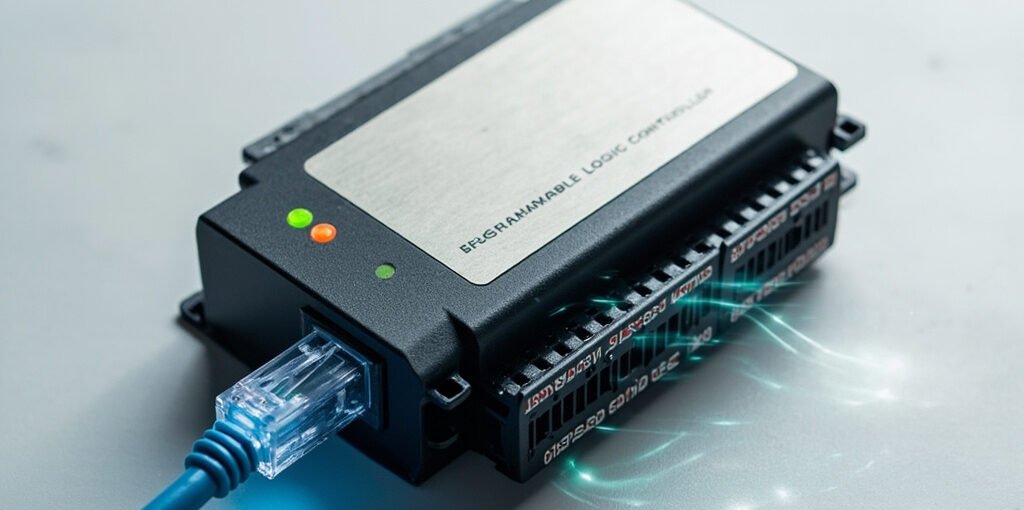
In modern industrial automation, PLC Ethernet communication has become the backbone of smart factories and Industry 4.0 ecosystems. By leveraging standard Ethernet networks, Programmable Logic Controllers (PLCs) can exchange data with HMI panels, SCADA systems, robots, sensors, and enterprise-level software in real time. This connectivity enables faster decision-making, predictive maintenance, and seamless integration between the shop floor and the cloud. Whether you’re a controls engineer, a system integrator, or a plant manager, understanding how PLC Ethernet communication works is essential for designing robust, scalable, and future-proof automation systems.
What Is PLC Ethernet Communication?
PLC Ethernet communication refers to the use of standard IEEE 802.3 Ethernet networks to transmit data between a PLC and other devices. Unlike legacy serial protocols such as RS-232 or RS-485, Ethernet offers higher bandwidth, faster response times, easier cabling, and the ability to connect multiple devices on a single network using switches, routers, and TCP/IP infrastructure. Modern PLCs from manufacturers like Siemens (S7-1200/S7-1500), Allen-Bradley (CompactLogix/ControlLogix), Mitsubishi (MELSEC iQ-R), and Schneider (Modicon M340/M580) all include built-in Ethernet ports or modules to support this communication.
Popular Ethernet Protocols Used in PLC Communication
Several industrial protocols operate over Ethernet, each with unique strengths tailored to specific applications. Choosing the right protocol depends on factors like cycle time, determinism, vendor compatibility, and data volume.
- Modbus TCP – An open, widely adopted protocol that uses TCP/IP port 502. It is simple, easy to implement, and ideal for connecting PLCs to third-party devices and energy meters.
- EtherNet/IP – Developed by Rockwell Automation and managed by ODVA, this CIP-based protocol is dominant in North American factories and supports real-time control and information exchange.
- PROFINET – Promoted by PI (PROFIBUS & PROFINET International), PROFINET excels in high-speed deterministic applications and is widely deployed in European automotive and process industries.
- S7 Communication – Siemens’ proprietary protocol used between SIMATIC controllers for peer-to-peer and client/server communication.
- OPC UA – A platform-independent standard for secure, reliable data exchange from sensors to the cloud, increasingly used as a vendor-neutral bridge.
- EtherCAT – A real-time Ethernet fieldbus known for extremely short cycle times, often used in high-performance motion control.
Protocol Comparison Table
| Protocol | Transport | Typical Cycle Time | Best Use Case |
|---|---|---|---|
| Modbus TCP | TCP/IP | 50–100 ms | Simple SCADA integration |
| EtherNet/IP | TCP/UDP + CIP | 1–10 ms | Discrete & process control |
| PROFINET | Real-time Ethernet | 0.25–1 ms | High-speed manufacturing |
| EtherCAT | Processing on the fly | < 0.1 ms | Motion control & robotics |
| OPC UA | TCP/HTTPS | 10–100 ms | IIoT and cloud connectivity |
Key Benefits of Using Ethernet for PLC Communication
- Higher data throughput – Speeds of 100 Mbps, 1 Gbps, and even 10 Gbps enable transmission of large datasets, diagnostics, and video.
- Scalability – Hundreds of devices can be connected via managed switches and VLAN segmentation.
- Standardized infrastructure – Uses commercial off-the-shelf (COTS) cabling, switches, and IT expertise.
- Remote access – Engineers can program, monitor, and troubleshoot PLCs from anywhere using VPNs or secure gateways.
- Integration with IT systems – Bridges the gap between OT (Operational Technology) and IT, enabling MES, ERP, and cloud analytics.
- Improved diagnostics – SNMP, web servers, and embedded diagnostics make network health monitoring straightforward.
Typical Architecture of a PLC Ethernet Network
A well-designed industrial Ethernet network typically follows a layered topology that separates control, device, and enterprise traffic to maintain determinism and security. The most common layers include:
- Field Level – Sensors, actuators, variable frequency drives (VFDs), and remote I/O communicating with the PLC.
- Control Level – The PLC and its peer controllers exchanging real-time process data.
- Supervisory Level – HMI panels and SCADA servers monitoring production and generating alarms.
- Enterprise Level – MES, ERP, historians, and cloud platforms that consume aggregated operational data.
Best Practices for Reliable PLC Ethernet Communication
- Use shielded twisted-pair (STP) or fiber optic cables in environments with high electromagnetic interference (EMI).
- Implement redundant ring topologies (e.g., MRP, DLR, or RSTP) to ensure network resilience if a cable or switch fails.
- Assign static IP addresses to PLCs and critical devices, or use DHCP reservations to avoid conflicts.
- Enable firewalls, MAC filtering, and port security to protect against unauthorized access and cyber threats.
- Regularly update PLC firmware to patch vulnerabilities and improve protocol performance.
- Document your network architecture, including IP schemes, VLAN IDs, and device roles, for easier maintenance.
- Use diagnostic tools like Wireshark, PRONETA, or vendor-specific utilities to monitor traffic and troubleshoot issues.
Common Issues and Troubleshooting Tips
Even the best-designed networks can experience problems. Below are some of the most frequent issues engineers encounter with PLC Ethernet communication:
| Problem | Likely Cause | Recommended Solution |
|---|---|---|
| Intermittent connection loss | Loose or damaged cables | Inspect, re-crimp, or replace RJ45 connectors |
| High latency or jitter | Broadcast storms or heavy traffic | Enable
Sign in
Create an Account
Shopping cart
close
|