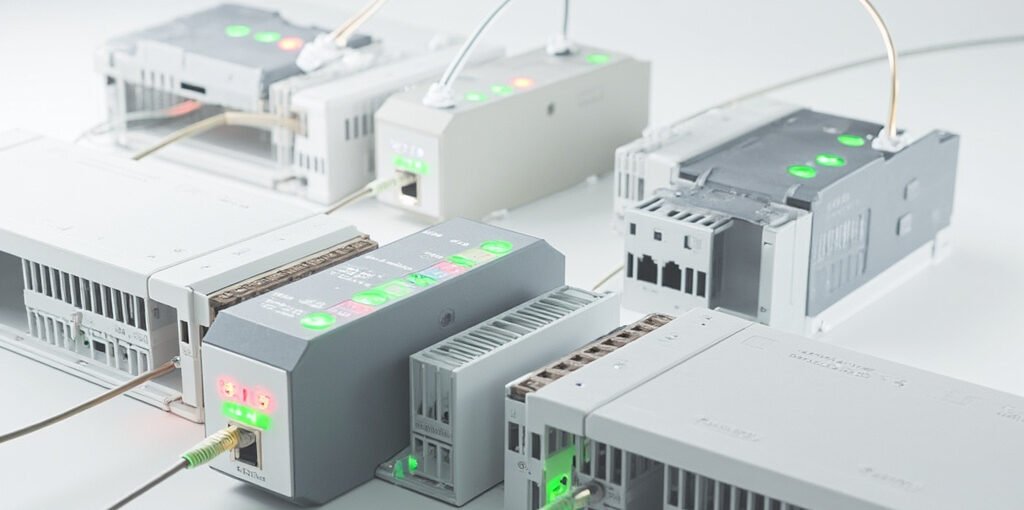
In modern industrial automation, Distributed IO Configuration has become a cornerstone for scalable, flexible, and efficient control systems. Whether you are designing a new plant, retrofitting an existing facility, or integrating smart sensors across a wide geographical area, understanding how to properly configure distributed input/output modules is essential. This comprehensive guide explores the architecture, setup procedures, best practices, and troubleshooting techniques that engineers and system integrators rely on every day.
What Is Distributed IO?
Distributed IO (Input/Output) refers to a system architecture where input and output modules are physically separated from the main controller (PLC, PAC, or industrial PC) and placed closer to the field devices they monitor or control. Instead of running every signal wire back to a central cabinet, the IO is decentralized into remote racks or stations connected via industrial fieldbus or Ethernet-based protocols.
The primary benefits of this architecture include:
- Reduced wiring costs and cable congestion in control cabinets.
- Improved signal integrity by shortening analog and digital cable runs.
- Modular scalability for expanding production lines without major redesigns.
- Faster installation and commissioning using pre-configured remote stations.
- Easier diagnostics and maintenance thanks to localized fault detection.
Key Components of a Distributed IO System
A typical distributed IO system consists of several integrated elements. Understanding each component is vital to achieving a robust configuration.
- Master Controller (PLC/PAC): The brain that exchanges process data with remote stations.
- Fieldbus Coupler or Network Interface: Acts as the gateway between the controller and IO modules.
- IO Modules: Digital input, digital output, analog input, analog output, and specialty modules.
- Power Supply Units: Provide isolated 24V DC power to modules and field devices.
- Field Devices: Sensors, actuators, valves, motors, and transducers.
- Network Cabling: Profinet, EtherCAT, Modbus TCP, or other industrial Ethernet cables.
Common Communication Protocols
Distributed IO systems rely heavily on standardized protocols. Selecting the right one affects speed, determinism, and integration complexity. Below is a comparison table of widely used protocols:
| Protocol | Topology | Cycle Time | Best Use Case |
|---|---|---|---|
| Profinet | Line, Star, Ring | ~1 ms | High-performance factory automation |
| EtherCAT | Line, Daisy-Chain | < 100 µs | Motion control and high-speed applications |
| Modbus TCP | Star | ~10–50 ms | Simple, low-cost monitoring systems |
| Profibus DP | Line | ~2 ms | Legacy fieldbus installations |
| EtherNet/IP | Star, Ring | ~1–5 ms | North American manufacturing environments |
Step-by-Step Distributed IO Configuration Process
1. Define System Requirements
Start by mapping the number and type of signals needed. Identify digital inputs, digital outputs, analog inputs (4–20 mA, 0–10 V, RTD, thermocouple), and analog outputs. Determine the physical locations of field devices to decide how many remote stations are required.
2. Choose the Right IO Platform
Select hardware from trusted vendors such as Siemens ET 200, Beckhoff EtherCAT Terminals, Phoenix Contact Axioline, Allen-Bradley POINT I/O, or Wago 750 Series. Ensure compatibility with your controller’s communication interface.
3. Assign IP Addresses and Device Names
For Ethernet-based protocols, each remote station needs a unique IP address and, in some cases, a device name. Use a structured IP scheme to simplify management (e.g., 192.168.1.10 for Station 1, 192.168.1.11 for Station 2).
4. Configure the Master Controller
In your PLC programming environment (TIA Portal, Studio 5000, TwinCAT, etc.), add the fieldbus network, configure the master, and import the GSD/GSDML device description files for each IO station.
5. Map IO Modules and Slots
Insert each IO module into the appropriate slot of the remote station. Assign symbolic tags for easier programming. Verify the order matches the physical hardware configuration.
6. Commission and Test
Download the configuration to the controller, power up the remote stations, and watch for diagnostic LEDs. Use online monitoring tools to confirm that all modules are communicating correctly and that data is updating as expected.
⚠️ Pro Tip: Always document your IP address scheme, device names, slot assignments, and GSD file versions. A well-maintained configuration backup can save hours of downtime during troubleshooting or hardware replacement. Additionally, isolate the industrial network from the corporate IT network using VLANs or firewalls to prevent cybersecurity threats.
Best Practices for Distributed IO Configuration
- Use shielded twisted-pair cables and proper grounding to minimize electromagnetic interference.
- Implement redundant ring topologies for critical applications requiring high availability.
- Segment the network into logical subnets to improve performance and security.
- Plan for future expansion by leaving spare slots and unused IP addresses.
- Label every cable and terminal with a consistent identification scheme.
- Perform regular firmware updates on couplers and IO modules to patch vulnerabilities.
- Use diagnostic tools like Wireshark, PRONETA, or vendor-specific software for proactive monitoring.
Troubleshooting Common Issues
Even with careful planning, distributed IO systems can encounter communication or signal problems. The table below summarizes frequent issues and their resolutions.
| Symptom | Likely Cause | Recommended Action |
|---|---|---|
| Station not detected on network | Duplicate IP address or wrong subnet | Verify IP configuration and use a network scanner |
| Intermittent communication dropouts | EMI noise or damaged cable | Replace cable and check shielding/grounding |
| Module reports diagnostic error | Mismatched slot configuration | Reorder modules to match the software setup |
| Analog values drift or are noisy | Improper grounding or long cable runs | Use isolated analog modules and shorter runs |
| Power supply overload
Sign in
Create an Account
Shopping cart
close
|