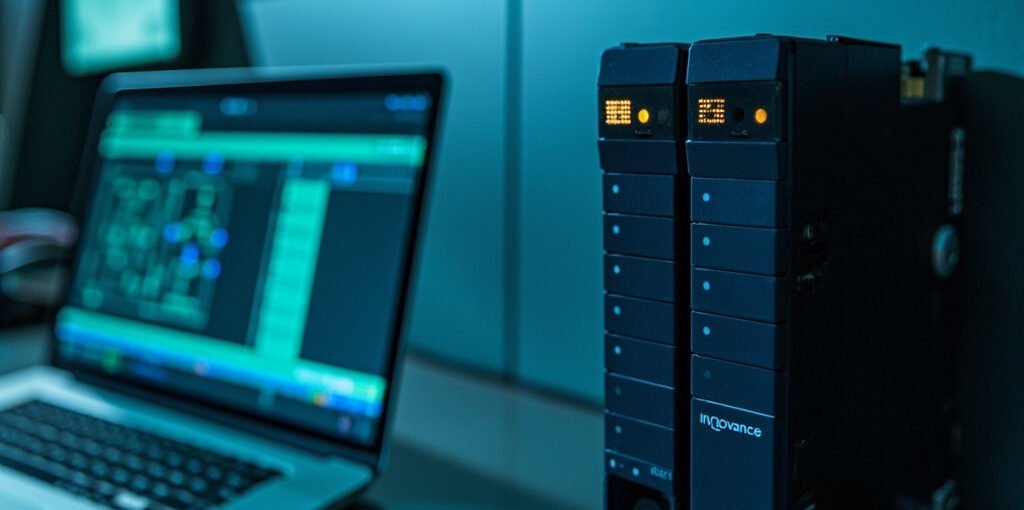
Inovance Technology has become one of the most recognized industrial automation brands worldwide, offering a wide range of Programmable Logic Controllers (PLCs), servo drives, inverters, and HMI panels at competitive price points. For engineers, technicians, and automation students looking to expand their skill set, learning an Inovance PLC tutorial can open doors to careers in factory automation, process control, and industrial IoT. This in-depth guide walks you through the essentials of Inovance PLC hardware, programming software, ladder logic basics, communication protocols, and practical troubleshooting techniques that will help you build reliable automation systems from the ground up.
What is an Inovance PLC?
An Inovance PLC is an industrial digital computer designed to control manufacturing processes, machinery, and equipment in harsh environments. Built around rugged microprocessors with deterministic scan times, these controllers execute user-programmed instructions to manage inputs, drive outputs, and communicate with field devices. The Inovance PLC family includes compact controllers like the H1U and H2U series, modular mid-range systems such as the H3U and H5U series, and high-performance platforms like the AM400 and AM600 series designed for complex motion and process applications.
Popular Inovance PLC Series Comparison
The following table summarizes the most widely deployed Inovance PLC families, helping you select the right platform for your project:
| Series | Type | I/O Range | Typical Use Case |
|---|---|---|---|
| H1U / H2U | Compact (CPU integrated) | 14 – 60 points | Small machines, OEM equipment |
| H3U | Modular mid-range | Up to 384 points | Conveyor lines, packaging |
| H5U | High-performance compact | Up to 512 points | Multi-axis motion + logic |
| AM400 / AM600 | Rack-mounted modular | 1000+ points | Process plants, large machinery |
| Easy521 / Easy320 | Entry-level relay-replacement | 8 – 32 points | Lighting, basic control panels |
Getting Started with AutoShop Programming Software
Inovance PLCs are programmed using AutoShop, a free Windows-based IDE that supports ladder diagram (LD), structured text (ST), instruction list (IL), and function block diagram (FBD) languages conforming to the IEC 61131-3 standard. To begin your first project, follow these steps:
- Download and install AutoShop from the official Inovance website, choosing the version that matches your PLC model (e.g., AutoShop 4.x for H5U and AM series).
- Launch AutoShop and create a new project. Select the correct CPU model from the hardware catalog to ensure the compiler generates compatible code.
- Configure communication settings in the project tree — choose USB, RS-485 (Modbus RTU), or Ethernet based on the connection between your PC and the PLC.
- Define I/O addresses by opening the PLC Parameters dialog and mapping physical terminals to internal registers such as X (inputs), Y (outputs), M (auxiliary relays), and D (data registers).
- Write your ladder logic by dragging contacts and coils from the toolbar onto a new rung in the editor.
- Compile the program to check for syntax errors, then download it to the PLC using the “Online → Download” menu and switch the controller to RUN mode.
Your First Ladder Logic Program
A classic starting point is the start–stop latching circuit used to control a motor. Below is a textual representation you can build in AutoShop:
- Rung 1:
X0 (Start PB) OR Y0 (Motor)in series withX1 (Stop PB, NC)drivingY0 (Motor Contactor). - Rung 2: Use a SET instruction to latch Y0 and a RST instruction triggered by a thermal overload (X2) to clear the output for safety.
- Rung 3: Add a status indicator lamp Y1 that mirrors the motor state, useful for HMI visualization.
After downloading, pressing the Start button should energize the motor, and it should remain running until the Stop button is pressed or a fault occurs. This simple example teaches seal-in logic, a fundamental concept in every PLC programmer’s toolbox.
Communication Protocols and Networking
Modern automation systems rarely operate in isolation. Inovance PLCs support a rich set of industrial communication protocols, including:
| Protocol | Physical Layer | Common Application |
|---|---|---|
| Modbus RTU | RS-485 | Connecting to inverters, sensors, HMIs |
| Modbus TCP / EtherNet/IP | Ethernet | SCADA integration, peer-to-peer PLC communication |
| CANopen | CAN bus | Servo drives, decentralized I/O |
| Profinet / EtherCAT | Industrial Ethernet | High-speed motion control (AM600 series) |
To configure a Modbus TCP link, for example, open the Ethernet Port Settings dialog in AutoShop, assign the PLC a static IP address within your plant network, and add a MODBUSTCP_M function block in your ladder program. Then use dedicated instruction blocks such as MODRD and MODWR to read from and write to holding registers on remote devices.
Common Programming Instructions You Should Master
Becoming fluent in the following instructions will allow you to solve roughly 80% of typical automation tasks:
- Basic contacts and coils: NO, NC, OUT, SET, RST
- Timers: TON (on-delay), TOF (off-delay), TP (pulse)
- Counters: CTU (up counter), CTD (down counter)
- Math and data move: ADD, SUB, MUL, DIV, MOV, BMOV, FMOV
- Comparison: CMP, ZCP, with output conditions driving logic
- Edge detection: LDP (rising edge), LDF (falling edge) for one-shot operations
Troubleshooting Checklist for Beginners